Claude Lessons / Guides
Claude Code Subagents Explained: What They Are and When to Use Them
Once you've used Claude Code for a while, your context window starts filling up with things you don't actually need to see: grep results from ten files, the full output of a test run, a log dump you only needed one line from. Subagents exist to solve exactly that problem. This guide explains what they are, what's built in, how to write your own, and — just as important — when a subagent is overkill.
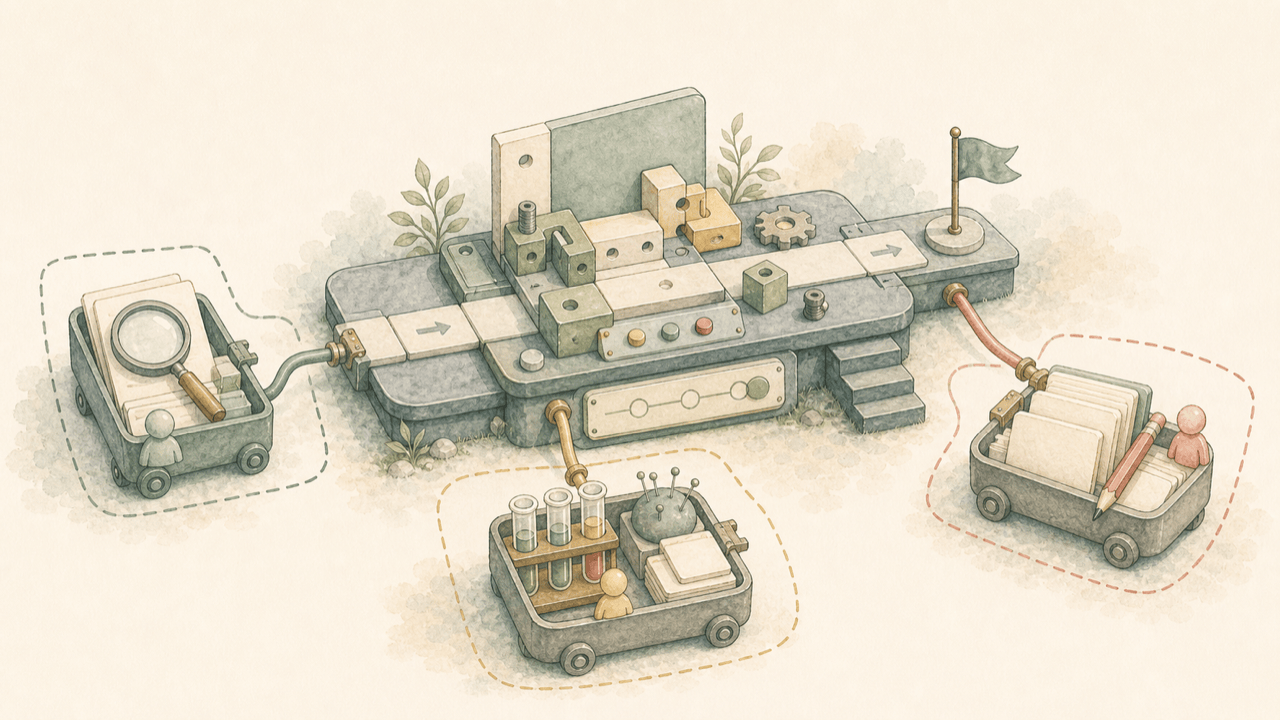
What a subagent actually is
A subagent is a separate Claude instance that your main session spawns to handle a scoped task. It gets its own context window, its own system prompt, its own tool access, and its own permissions. When it finishes, it hands back a summary — not the full transcript of everything it read and did — and that summary is all that lands in your main conversation.
Think of it like delegating to a coworker instead of doing the research yourself at your own desk. You don't need to see every file they opened; you need the answer. The subagent's context window fills up with the messy work; yours stays clean.
Subagents work within a single session — one main conversation dispatching helpers and reading their reports. If you want several independent sessions running in parallel that you monitor from one place, that's a different feature (background agents); if you want sessions that talk to each other, that's agent teams. This guide covers the everyday case: subagents inside one session.
The built-in subagents: Explore, Plan, general-purpose
Claude Code ships with agents already configured. You don't have to create anything to benefit from them:
| Agent | Tools | Purpose |
|---|---|---|
Explore | Read-only (no Write/Edit) | Fast codebase search and file discovery |
Plan | Read-only (no Write/Edit) | Research during Plan Mode, before a plan is presented |
general-purpose | Everything available to subagents | Complex, multi-step tasks mixing research and file changes |
Claude decides when to delegate to these based on your request and each agent's description — you rarely need to invoke them by name. When Claude needs to search or understand a codebase without changing anything, it reaches for Explore or Plan; when a task needs both investigation and edits, it reaches for general-purpose. Explore and Plan skip loading your CLAUDE.md files to stay fast and cheap; every other subagent, including custom ones, loads them.
There are also small helper agents — statusline-setup when you run /statusline,
claude-code-guide for questions about Claude Code itself — that you'll see invoked
automatically without asking for them.
Why context isolation matters
Every file Claude reads, every command's output, every tangent it explores stays in the context window for the rest of the session — unless it was a subagent's context, in which case it's discarded once the summary comes back. That's the entire value proposition in one sentence: a subagent trades a bit of startup latency for keeping your main conversation focused.
This compounds. A session that's read fifteen files' worth of exploration output responds slower and
drifts more than a session that delegated that exploration and kept only three sentences of findings.
If you've read our guide on the core Claude Code workflow, this is the same instinct as
/clear and /compact — reduce what's competing for the model's attention — just
applied at the level of a single task instead of the whole session. See
how to use Claude Code for that broader context-management
picture.
Practice delegation without a real codebase on the line
Claude Lessons has 38 free interactive lessons that simulate a real Claude Code workspace, including lessons on delegating to subagents and managing context — practice the judgment call, not just the syntax.
Start the free interactive lessonsCreate your first custom subagent
The fastest path is to ask Claude to write it for you. In a session, describe what you want:
Create a personal code-improver subagent in ~/.claude/agents/ that scans
files and suggests improvements for readability, performance, and best
practices. Make it read-only and have it use Sonnet.
Claude writes a Markdown file with YAML frontmatter and a system prompt body. A trimmed example of what that file looks like:
---
name: code-improver
description: Scans files and suggests improvements for readability,
  performance, and best practices. Use after writing or modifying code.
tools: Read, Grep, Glob
model: sonnet
---

You are a code improvement specialist. For each issue you find, explain
the problem, show the current code, and provide an improved version.
Save it under .claude/agents/ to scope it to the current project (check it into git so your
team shares it), or ~/.claude/agents/ to make it available in every project on your machine.
If you created the very first file in a new agents directory, restart Claude Code once — a
running session only watches directories that already existed when it started.
Subagent frontmatter fields worth knowing
Only name and description are required. The fields that matter most day to day:
tools— an allowlist of what the subagent can use. Omit it to inherit everything available to subagents; set it to lock a research agent to read-only tools likeRead, Grep, Glob.disallowedTools— a denylist instead, useful for "inherit everything except Write and Edit."model—sonnet,opus,haiku, orinherit(the default). Route cheap, high-volume tasks to a faster model to control cost.permissionMode—default,acceptEdits,plan, orbypassPermissions(use with real caution — it skips confirmation prompts).mcpServers— give the subagent access to MCP servers, including ones you don't want cluttering the main conversation's tool list. See our guide to MCP for what that unlocks.skills— preload specific Skills' full content into the subagent's context at startup, so it starts with domain knowledge already loaded.
The description field does real work: Claude reads it to decide when to delegate automatically. Vague descriptions get ignored; specific ones with phrases like "use proactively after code changes" get used.
Three ways to invoke a subagent
These escalate from a one-off suggestion to a session-wide default:
- Natural language. Just name it:
Use the code-reviewer subagent to look at my recent changes. Claude decides whether to actually delegate. - @-mention. Type
@and pick the subagent from the typeahead, the same way you @-mention a file. This guarantees that subagent runs for the task rather than leaving the choice up to Claude. - Session-wide.
claude --agent code-reviewermakes the entire main session run with that subagent's system prompt, tools, and model in place of the defaults.
Run /agents inside a session to see every subagent currently available — built-in, project,
and personal. For the rest of the built-in command surface, see our
slash commands reference.
Patterns that actually work
Isolate high-volume operations. Running a full test suite or fetching long documentation produces output you don't need preserved. Delegate it:
Use a subagent to run the test suite and report only the failing
tests with their error messages
Parallel, independent research. When investigations don't depend on each other, fan them out:
Research the authentication, database, and API modules in parallel
using separate subagents
Be aware that every subagent's results still return to your main conversation — running many subagents that each return a detailed report can itself consume real context. Keep instructions to "return only X" explicit.
Chain subagents for a pipeline. One subagent's output can become the next one's input, with Claude passing along only the relevant part:
Use the code-reviewer subagent to find performance issues, then use
the optimizer subagent to fix them
When a subagent is the wrong call
Subagents aren't free — they start with an empty context and need time to orient. Skip delegation when:
- The task needs iterative back-and-forth. A subagent returns once; if you'll want to steer mid-task, keep it in the main conversation.
- Phases share heavy context. Planning, implementing, and testing the same change usually need the same file contents in view — splitting that across subagents means re-loading it each time.
- It's a quick, targeted change. Fixing a typo doesn't justify spinning up an isolated context.
- Latency matters more than isolation. A subagent's cold start costs real seconds; for something you need an answer to right now, ask directly.
As a rule of thumb: subagents earn their overhead when the alternative is dumping something verbose and disposable into your main context. If what comes back would have been short anyway, you didn't need the isolation.
Subagents vs. Skills vs. hooks
These three get confused because they all customize Claude Code's behavior, but they solve different problems:
- Subagents run in an isolated context window and return a summary. Use them for delegation and context isolation.
- Skills are reusable prompts or workflows that run inside your main conversation's context, not isolated. Use them when you want the same instructions or knowledge loaded consistently, without starting fresh.
- Hooks are deterministic — shell commands or checks that always fire at a specific lifecycle point (before a tool runs, after an edit, at session start). Use them when a rule needs to be enforced, not just suggested. See our 12 copy-paste hooks examples for concrete configs.
They combine: a subagent's frontmatter can define its own hooks, and a subagent can be told to preload specific Skills at startup.
FAQ
What is a Claude Code subagent?
A subagent is a separate Claude instance that your main session delegates a scoped task to. It runs in its own context window with its own system prompt, tool access, and permissions, then returns a summary to the main conversation instead of flooding it with everything it read.
What subagents does Claude Code include by default?
Explore (fast, read-only codebase search), Plan (read-only research used during Plan Mode), and general-purpose (a capable agent for multi-step tasks that mix research and file changes). Claude also has small helper agents like statusline-setup and claude-code-guide that it invokes automatically.
How do I create a custom subagent?
Ask Claude to write one, or create a Markdown file yourself in .claude/agents/
(project-scoped) or ~/.claude/agents/ (available in every project). The file needs YAML
frontmatter with at minimum a name and description, plus optional fields like
tools, model, and permissionMode, followed by the system prompt as
the Markdown body.
Do subagents slow Claude Code down?
A subagent starts a fresh context window, so it needs time to gather context before it's useful — that's added latency for small, quick changes. For work that would otherwise dump a lot of file contents or command output into your main conversation, subagents are a net speed win because your main session stays lean and responds faster afterward.
What's the difference between subagents and Skills?
A subagent runs in an isolated context window and returns only a summary — use it when you want to keep verbose exploration or output out of your main conversation. A Skill is a reusable prompt or workflow that runs inside your main conversation context — use it when you want the same instructions loaded every time, without the isolation.
Can subagents spawn their own subagents?
Yes, by default up to three layers below the main conversation. This suits a reviewer subagent that dispatches a verifier per finding, for example. Only the top-level subagent's summary reaches your main conversation — intermediate results stay isolated.
Reading about it ≠ being good at it
The fastest way to build good delegation instincts is reps. Practice context packets, subagent delegation, and verification in a simulated Claude Code workspace — free, in your browser, with instant feedback.
Practice hands-on in the free interactive lessons