Claude Lessons / Guides
Claude Code Agent Teams: Run a Team of Claude Sessions in Parallel
Agent teams turn one Claude Code session into a team lead that spawns full, independent Claude instances — each with its own context window — coordinates them through a shared task list, and lets them message each other directly. It's the difference between delegating errands and running a standup. The feature is experimental, hidden behind an environment variable, and expensive when used carelessly; it is also the closest thing Claude Code has to genuine parallel collaboration, and for the right tasks (parallel code review, debugging with competing hypotheses) it beats a solo session decisively. This guide covers enabling it, when a team beats subagents, how coordination actually works under the hood, and the limitations you'll hit.
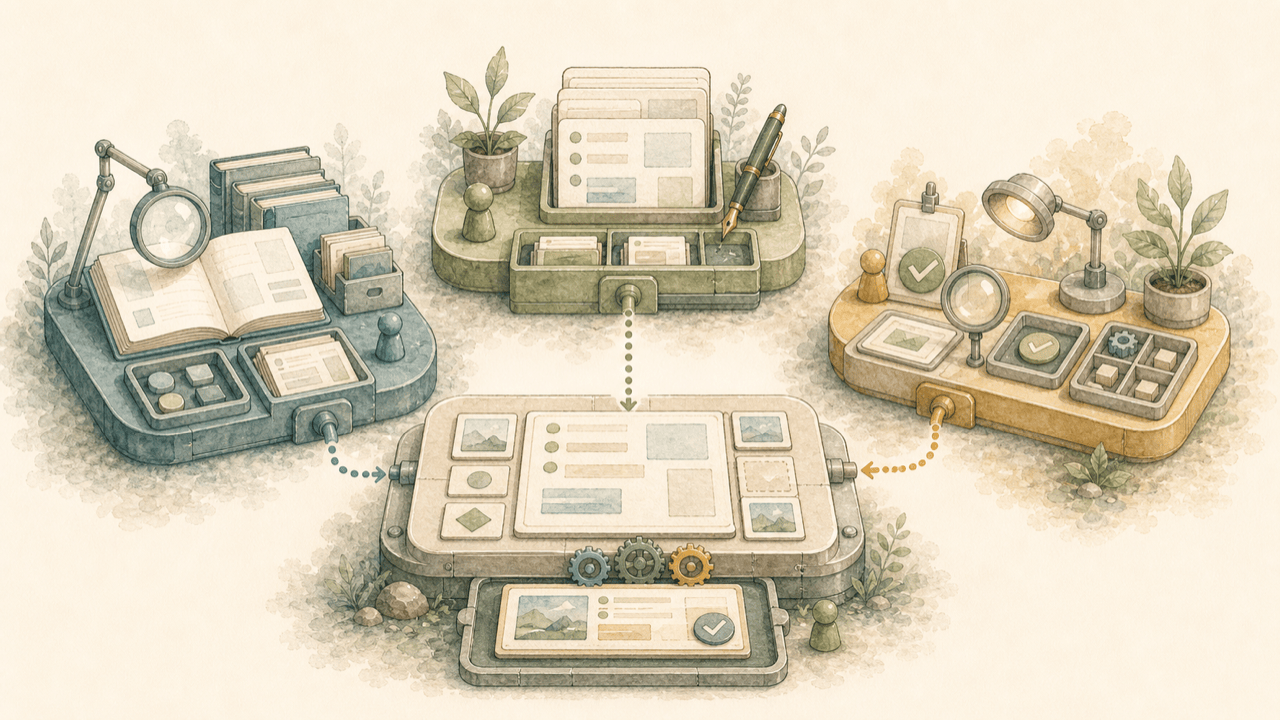
What agent teams are
An agent team has four parts: a lead (your main session, which spawns teammates and coordinates), teammates (separate, full Claude Code instances), a shared task list (work items teammates claim and complete, with dependencies), and a mailbox (a per-agent message queue on disk that agents use to talk to each other).
The properties that make this different from everything else in Claude Code:
- Teammates are whole sessions, not helpers. Each one loads your project context — CLAUDE.md, MCP servers, skills — exactly like a session you'd start by hand. What it does not get is the lead's conversation history: it knows what the spawn prompt tells it, and nothing else about what you've discussed.
- Communication is peer-to-peer. Teammates message each other directly by name, not just report upward. That enables genuinely new workflows — five agents actively trying to disprove each other's theory about a bug is not something a pile of isolated subagents can do.
- You can bypass the lead. Select any teammate in the agent panel and talk to it directly — redirect its approach, ask a follow-up, stop it. The lead coordinates, but it isn't a chokepoint.
Agent teams vs. subagents
Both parallelize work. The decision hinges on one question: do the workers need to talk to each other?
| Subagents | Agent teams | |
|---|---|---|
| Context | Own window; result returns to the caller | Own window; fully independent session |
| Communication | Return a result to the caller; a named subagent can also be messaged | Teammates message each other directly |
| Coordination | Main agent manages all work | Self-coordination by message, plus a shared task list where the Task tools are available |
| You can interact with | The main agent | Any teammate, individually |
| Token cost | Lower — results summarized into one context | Higher — every teammate is a full instance |
| Best for | Focused tasks where only the result matters | Work that benefits from discussion and challenge |
Rule of thumb: research-with-a-report → subagent. Review-with-a-debate, or a feature whose frontend, backend, and tests can proceed independently → team. Sequential work with many dependencies → neither; a single session with a good plan beats both. (If what you actually want is several isolated sessions that never interact, that's git worktrees, not agent teams — one worktree per session, no coordination overhead. And if you want the sessions you start yourself to pass findings to each other without a lead at all, cross-session messaging now does that with nothing to enable — Claude lists your other sessions and messages them directly, v2.1.224+ on macOS and Linux, v2.1.234+ on native Windows. Check a team is really what you need before you pay for one.)
Enabling agent teams
Agent teams are experimental and disabled by default. Enable them with one environment variable,
either in your shell or in settings.json:
{
  "env": {
    "CLAUDE_CODE_EXPERIMENTAL_AGENT_TEAMS": "1"
  }
}
Three things to know before flipping it:
-
No other setup remains. On current versions (v2.1.178+), spawning a teammate needs
no create-a-team step, and cleanup happens automatically at session exit. Older writeups mention
TeamCreate/TeamDeletetools — those no longer exist. -
Interactive sessions only. In
claude -pand Agent SDK runs, Claude doesn't spawn teammates; a would-be teammate runs as an ordinary subagent even with the flag set. -
The flag changes ordinary delegation too. While enabled, a subagent that Claude
names launches as a teammate — and Claude names subagents on its own. Teams can therefore
form when you never asked for one. This matters because teammates report differently: a finished
subagent returns its output to the caller, while a finished teammate sends the lead an idle
notification carrying its final answer. An orchestration flow built around subagent return values can
still stall on that difference. The fix is setting the variable to
"0"— it takes effect on the next spawn without restarting the session. Note the precedence: a"0"in your usersettings.jsonoverrides a shell export, but project settings, local settings, a--settingspayload, or managed settings all apply later and can turn teams back on.
Your first team, step by step
With the flag set, you just describe the team in natural language. A prompt that works well:
Spawn three teammates to review PR #142:
- One focused on security implications
- One checking performance impact
- One validating test coverage
Have them each review and report findings, then synthesize.
The lead populates the shared task list, spawns a teammate per role, and synthesizes when they finish. Teammates appear in the agent panel below the prompt input. The keys that matter:
| Key | In the agent panel |
|---|---|
↑ / ↓ | Select a teammate |
Enter | Open its transcript and message it directly |
Esc | Clear the selection — or, while you're viewing a teammate's transcript, interrupt that teammate's current turn |
x | Stop the selected teammate |
Ctrl+T | Toggle the shared task list |
Prompting details that improve results immediately:
-
Name your teammates. "Spawn a teammate called
reviewer…" gives you a stable name to reference later ("ask the reviewer to also check the auth module") instead of whatever the lead invents. - Front-load context into spawn prompts. Teammates don't inherit your conversation. Everything you've explained to the lead — the bug's history, the constraint that matters — must be restated in the spawn prompt or the teammate works without it.
-
Specify models if you want cheaper teammates. "Use Sonnet for each teammate"
works, and as of v2.1.251 the name in your prompt wins; after that comes a subagent definition's
model, thenCLAUDE_CODE_SUBAGENT_MODEL, then the lead's model.CLAUDE_CODE_SUBAGENT_MODEL_FORCE=1(v2.1.257+) ignores the first two and pins every teammate to the env var. NoteteammateDefaultModelwas removed in v2.1.234 and a leftover value is ignored. Teammates always inherit the lead's effort level. - Check that you actually got a team. Claude sometimes chooses subagents instead; both appear in the same panel. If your workflow needs teammate messaging, ask again and explicitly request an agent team.
- Don't panic when idle rows vanish. As of v2.1.199 an idle row stays put while any other teammate or subagent is still working; only once the whole panel is idle do idle rows hide after 30 seconds — they're still running and addressable. Message one by name and its row returns. More than three idle teammates collapse into a single "N idle agents" row; Enter expands it.
In-process vs. split panes
| Mode | What you see | Requires |
|---|---|---|
in-process (default) | All teammates inside your main terminal, via the agent panel | Nothing — works in any terminal |
| Split panes | Each teammate in its own live pane; click into any of them | tmux, or iTerm2 with the it2 CLI |
Set it with "teammateMode" in ~/.claude/settings.json or per-session with
claude --teammate-mode auto. The values: "in-process", "auto"
(split panes when you're already inside tmux or in iTerm2 with it2 installed, in-process
otherwise), "tmux", or "iterm2". Two gotchas: the default changed to
in-process in v2.1.179, so if your teams used to open panes and stopped, set "auto"
explicitly; and split panes don't work in VS Code's integrated terminal, Windows Terminal, or Ghostty
— in-process works everywhere.
How coordination actually works
Knowing the mechanics helps you debug a confused team instead of restarting it.
-
The task list is the source of truth — where it exists. Tasks are pending, in progress, or completed,
and can depend on other tasks — a pending task with unresolved dependencies can't be claimed until
they complete, and completing a blocker unblocks its dependents automatically. The lead assigns
tasks, or idle teammates self-claim the next unblocked one. Claiming uses file locking, so two
teammates can't grab the same task. The caveat that catches people out: the Task tools
(
TaskCreate,TaskGet,TaskList,TaskUpdate) ship by default only on Claude 3.x, Opus 4–4.7, Sonnet 4–4.6, and Haiku 4.5. On newer models — Opus 5 and Sonnet 5 included — an agent without them coordinates purely through messages and adds nothing to the shared list. ExportCLAUDE_CODE_ENABLE_TODO_TOOLS=1before launching if you want the shared task list on a newer model. -
Messages are files, delivered automatically. Each agent's mailbox is JSON at
~/.claude/teams/{team-name}/inboxes/{agent-name}.json; delivery is push, not polling. Team config lives at~/.claude/teams/{team-name}/config.json(runtime state — don't hand-edit it) and the task list at~/.claude/tasks/{team-name}/, under a session-derived name likesession-a1b2c3d4. Config is removed at session end; the task list persists so resumed sessions keep their tasks, and its retention follows the samecleanupPeriodDaysyou already set for session transcripts. Since v2.1.207 a malformed mailbox entry is reported and dropped instead of blocking that mailbox's delivery until you delete the file by hand. - Idle notifications now carry the answer. This changed: a teammate that finishes notifies the lead and includes its final answer in the notification, and a teammate whose turn dies on an API error reports the error text the same way. Older writeups (including an earlier version of this guide) said the lead only learned that a teammate stopped — that was the root cause of most "the lead is ignoring my teammate's work" confusion, and it no longer applies.
-
Reusable roles come from subagent definitions. A subagent you've defined (say,
security-reviewerwith a restricted tool list) can be spawned as a teammate by name. What carries over is narrower than you'd guess:toolsandmodelapply in either display mode, but the definition'sskillsare not applied (the teammate loads skills from your project and user settings instead), andmcpServersapplies only to split-pane teammates. The body is appended to an in-process teammate's default system prompt and replaces it for a split-pane one. - Plan approval is a checkpoint for the teammate, not for you. The mechanism is the lead's mode: switch the lead into plan mode first, then ask for the teammate, and it works read-only until its plan is ready. But Claude Code approves that plan in the lead's session as soon as the request arrives, without the lead reviewing it — so treat it as a staging gate, not a review gate. The teammate's edits and commands still go through normal permission prompts. It's the team-scale version of the plan-first habit from our plan mode guide.
-
Hooks give you programmatic gates.
TeammateIdlefires when a teammate is about to go idle — exit code 2 sends feedback and keeps it working ("tests still failing, keep going").TaskCreatedandTaskCompletedcan block task creation or completion the same way. Wire them like any other hook; see our hooks examples guide for the pattern.
Practice multi-agent delegation hands-on
Claude Lessons has free interactive lessons on agent teams, delegating to subagents, and running parallel sessions — practiced in a simulated Claude Code workspace, with feedback on how you scope and verify the work.
Start the free interactive lessonsSteering a running team
The failure mode of unattended teams isn't chaos, it's waste: a teammate stuck on an error, a lead that started implementing tasks itself, work drifting from the goal while nobody checks. Steering is the job you keep.
-
Talk to teammates directly. In-process: select and press Enter, then type. Split
panes: click into the pane. Plain text and skills go to the viewed teammate; built-in commands still
run in the lead.
/modeland/fastwon't run at all from a teammate view — they'd set the lead's model, and a teammate's model and fast mode are fixed at spawn, so Claude Code shows a notice instead./compact,/clear, and/rewindact on the lead's conversation, so you're asked to confirm first./effortdoes apply to the viewed teammate's later turns. - Nudge the lead when it misbehaves. Two prompts fix the two classic failures: "Wait for your teammates to complete their tasks before proceeding" (lead doing the work itself) and "the team isn't finished — keep going" (lead declaring victory early).
-
Revive or replace stalled teammates. A teammate that stopped after an error can be
messaged with new instructions, or replaced ("spawn a replacement to continue the researcher's
task"). A message also wakes a teammate waiting out an API retry delay. Messaging an in-process
teammate that is no longer running brings it back in the same session with its saved conversation
restored, taking your message as its next prompt — except after a
/resume, and except that a project-level agent definition is only re-applied if you've trusted the exact folder its file lives in (trusting a parent doesn't count; otherwise it returns stripped of its tools and instructions). -
Shut down by name. "Ask the researcher teammate to shut down" sends a graceful
shutdown request, which the teammate can accept — finishing its current tool call first — or reject
with an explanation. Shared directories clean up
when the session ends. If a tmux pane outlives everything,
tmux lsandtmux kill-session -t <name>finish the job.
Permissions and safety
-
Teammates inherit the lead's permission mode at spawn. Nearly all of it — a lead
running with
--dangerously-skip-permissionsspawns teammates that skip permissions too. The one exception isdontAskmode, which teammates do not inherit. You can change an individual teammate's mode after it spawns, but not set per-teammate modes up front. Spawn teams from a session whose permission posture you'd accept multiplied by five. - Permission prompts bubble up to the lead's terminal, and you answer them there. Five teammates hitting prompts gets noisy — pre-approve the routine operations in your permission settings before spawning, or run the team in auto mode and let the classifier do the reviewing.
- Auto mode reviews the team's chatter, too. The classifier screens every inter-agent message before delivery — including structured ones like plan approvals and shutdown requests — and treats one agent's claim that "the user approved this" as untrusted input rather than consent. A teammate that was denied an action can't launder it through a colleague. Messages from other agents are always labeled as coming from another session, never from you.
- Plan approval is the designed exception: the lead session grants teammate plan approvals with no prompt to you, and as of current versions without the lead reading the plan either. So don't count on instructing the lead to be picky — review the diffs at the end, which you should be doing anyway.
When a team pays off — and when it doesn't
Token cost scales linearly with team size — each teammate is a full instance with its own context. So the question is always: does parallelism add information, or just add agents? Four patterns clear the bar:
- Parallel review with distinct lenses. Security, performance, and test coverage reviewers on one PR, simultaneously. A single reviewer gravitates to one class of issue; three scoped ones don't.
- Debugging with competing hypotheses. Spawn teammates on different theories and have them argue: "Have them talk to each other to try to disprove each other's theories, like a scientific debate." Sequential investigation anchors on its first plausible explanation; adversarial parallel investigation is the fix, and it's the single best demo of what teams can do that nothing else in Claude Code can.
- New modules with clean seams. Frontend, backend, and tests, each owned by a teammate who owns those files exclusively.
- Research fan-out with synthesis. Three libraries evaluated in parallel, findings challenged and merged — the lead synthesizes a comparison no single pass would produce.
Sizing guidance from the docs, which matches our experience: start with 3–5 teammates; give the lead
5–6 tasks per teammate; make tasks self-contained units with a clear deliverable. Skip teams entirely
for sequential work, same-file edits, or anything routine — and if you're new to them, start with
research and review tasks, which show the value without the merge conflicts. For the budgeting side
of running several full contexts at once, see the
token usage and costs guide. One cost detail
that's easy to miss: an in-process teammate's requests sit outside the main conversation's prompt-cache
bucket, so its cache expires after five minutes by default even on a subscription. Set
subagentPromptCacheTtl to "1h" if teammates idle between turns — on the API,
one-hour cache writes bill at a higher rate.
Limitations and troubleshooting
Current limitations, verified against the docs at Claude Code v2.1.281 (this is still an experimental feature and these change fast):
-
No session resumption for in-process teammates.
/resumeand/rewinddon't restore them; a resumed lead may message teammates that no longer exist. Tell it to spawn new ones. - Task status can lag. Teammates sometimes fail to mark tasks completed, blocking dependents. Check whether the work is actually done, then update the task or have the lead nudge.
- One team per session, no nesting, lead is fixed. Teammates can't spawn their own teammates, you can't promote a teammate to lead, and a session has exactly one team scoped to it.
- Shutdown is graceful, therefore slow. Teammates finish their current request before exiting.
-
No background subagents from in-process teammates. A teammate's own subagents run in
the foreground, because a teammate's background work can't outlive the lead's process. A subagent
definition with
background: trueerrors outright, and arun_in_background: truerequest either errors or quietly runs in the foreground. - File conflicts are your problem. Nothing stops two teammates from editing the same file; the last write wins. Partition ownership in the task descriptions.
And the diagnostic that solves most "it's not working" reports: teammates not appearing usually means
the task was too simple to warrant a team (Claude decides), the panel hid idle rows (message a
teammate by name to bring it back), or tmux isn't installed but split panes were requested
(which tmux).
FAQ
What are agent teams in Claude Code?
Agent teams coordinate multiple full Claude Code instances working on one problem. Your session becomes the team lead: it spawns teammates, breaks work into a shared task list, and synthesizes results. Each teammate is an independent session with its own context window that loads your project context (CLAUDE.md, MCP servers, skills), claims tasks, and messages the lead and other teammates directly. Unlike subagents, teammates talk to each other — and you can talk to any of them individually.
How do I enable agent teams?
Set CLAUDE_CODE_EXPERIMENTAL_AGENT_TEAMS=1 in your shell or in settings.json
under the env key, then describe the team you want in natural language. No other setup
step exists on current versions (verified at v2.1.281): the team directory is created at session start
and removed at exit, while the task list directory persists so a resumed session keeps its tasks.
What's the difference between agent teams and subagents?
Subagents run within your session and return a result to the caller — cheaper and right for focused tasks where only the result matters. (A subagent Claude named when it spawned it can be messaged too, so that line is no longer absolute.) Teammates are fully independent sessions that coordinate themselves and message each other — heavier, and right for work that benefits from discussion: parallel reviews, competing-hypothesis debugging, features with clean seams. When in doubt, start with a subagent; upgrade to a team when you catch yourself wanting the workers to compare notes.
Do agent teams use more tokens?
Yes — roughly linearly with team size, since every teammate carries a full context window. Worth it for parallel research, review, and independent feature work; not worth it for routine or sequential tasks. Using Sonnet teammates under an Opus lead ("use Sonnet for each teammate") is the easiest cost lever.
Why is Claude spawning teammates when I didn't ask for a team?
While agent teams are enabled, any subagent Claude names launches as a teammate — and Claude
names subagents on its own. If that stalls a flow that waits on subagent results, set
CLAUDE_CODE_EXPERIMENTAL_AGENT_TEAMS=0 in settings; it applies from the next spawn
without a restart.
Can teammates work in the same files?
They can, and it ends in overwrites — task claiming is lock-protected, file editing is not. Give each
teammate exclusive ownership of its files in the task descriptions, or keep implementation solo and
use the team for research and review. For hard isolation between parallel sessions, use
git worktrees — claude --worktree <name>
gives each session its own directory and branch, and Claude Code blocks tool calls that would write
back into the main checkout.
Learn to delegate before you scale it
Claude Lessons has 38 free interactive lessons — including agent teams, subagent delegation, and parallel sessions with worktrees — all practiced hands-on in a simulated Claude Code workspace.
Practice hands-on in the free interactive lessons